PassB for teams
Every card your team shares, in one place.
Give each employee a company card on their phone. See shares, opens and new contacts on one simple page. When someone leaves, stop their card in one click.
Watch the PassB Teams guide on YouTube
From 5 people · $3 a person a month, paid yearly · Already started? Sign in
 PASSB / YOUR CARD
Lab Director
ONE SCAN AWAY.
 PASSB / YOUR CARD
Product designer
ONE SCAN AWAY.

One identity.
 BBrightline LabsTeams plan · 48 people
Overview
People
Card design
Contacts
Events
Reports
Settings
48 seats · 42 cards set up
COMPANY CARD
One card design for the whole company.
Set your logo, colours and address once. Each person adds only their own name, job and mobile. When you publish a change, every card updates at once.
STYLE
COLOUR
LOGO
Drop your logo hereSET BY YOU, THE SAME ON EVERY CARD
EACH PERSON MAY CHANGE
PEOPLE
See your whole team on one page.
Who has a card, who is sharing it, and who still needs a nudge. Open one person to see their activity and the contacts they brought in.
Showing 8 of 48 people · links, opens and contacts are for the last 30 days
Suspend stops every link he shared, at once. Remove is for when he leaves: his work contacts stay with the company.
Invite in minutes
Send invites by email, upload a CSV list, or let anyone with an @yourcompany.com email join.
Nudge who is not set up
See who has not made their card yet, and remind them with one click.
Stop a card the day someone leaves
Suspend stops every link they shared, at once. Their page says they are no longer with the company.
Teams and bulk actions
Group people by team. Remind, move or suspend many people at once.
Host your own events
2 events a year with up to 50 guests each, for the whole company. Extra events or guests from $9, paid once.
EVENTS AND CONTACTS
Every person your team meets, in one list.
Make an event. Your people tag their shares and scans to it. Each new contact lands in the company list with who met them, where and when.
Personal contacts never come here.
Only work contacts reach this list: cards sent back to an employee, and cards they scanned and marked "for work".
EMPLOYEE PRIVACY
Work stays work. Personal stays personal.
With Teams, your company sees work activity only. Every employee reads this promise in the app before they join, so nobody is surprised.
YOUR COMPANY SEES
- Cards shared from the work card
- How many times each one was opened
- Work contacts: cards sent back, and cards scanned and marked "for work"
- Which event a share or scan was tagged to
YOUR COMPANY NEVER SEES
- Personal contacts
- Where you are
- Your personal card and its links
- Anything else on your phone
IN THE APP
Run your team from your phone. Show it on a TV.
Owners and Admins can do the everyday jobs right in the PassB app, on a phone or tablet. Real app screens, made-up people.
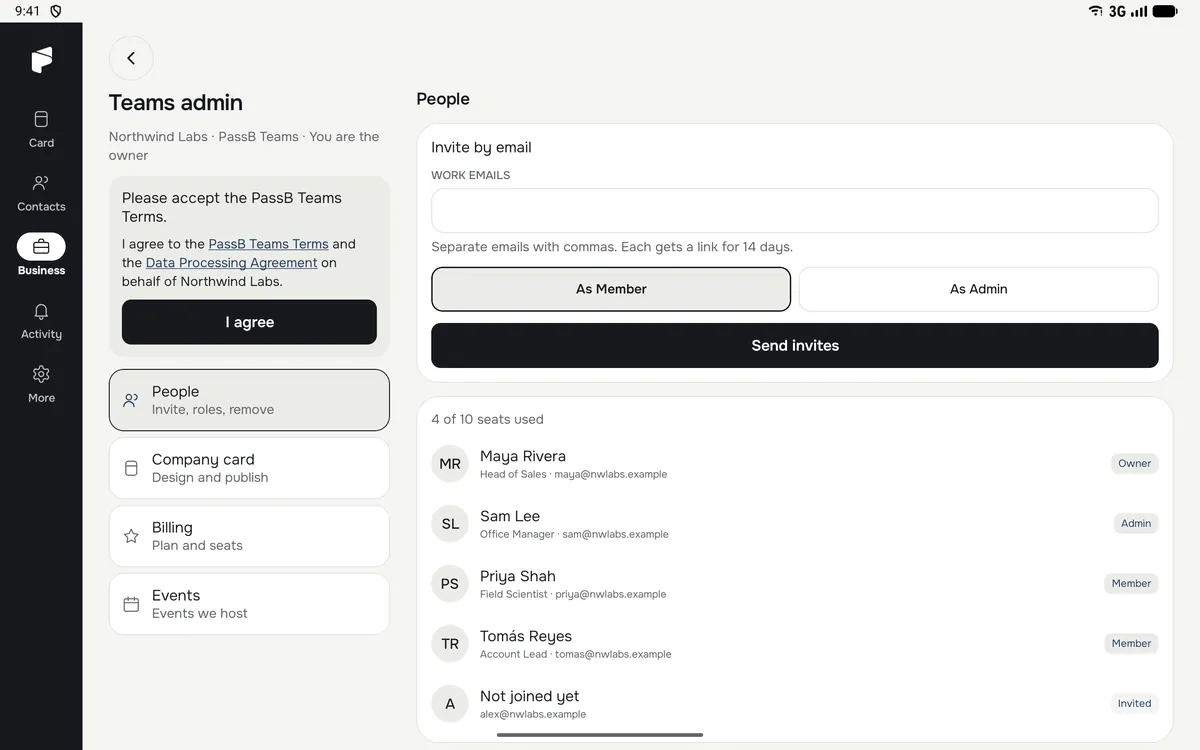
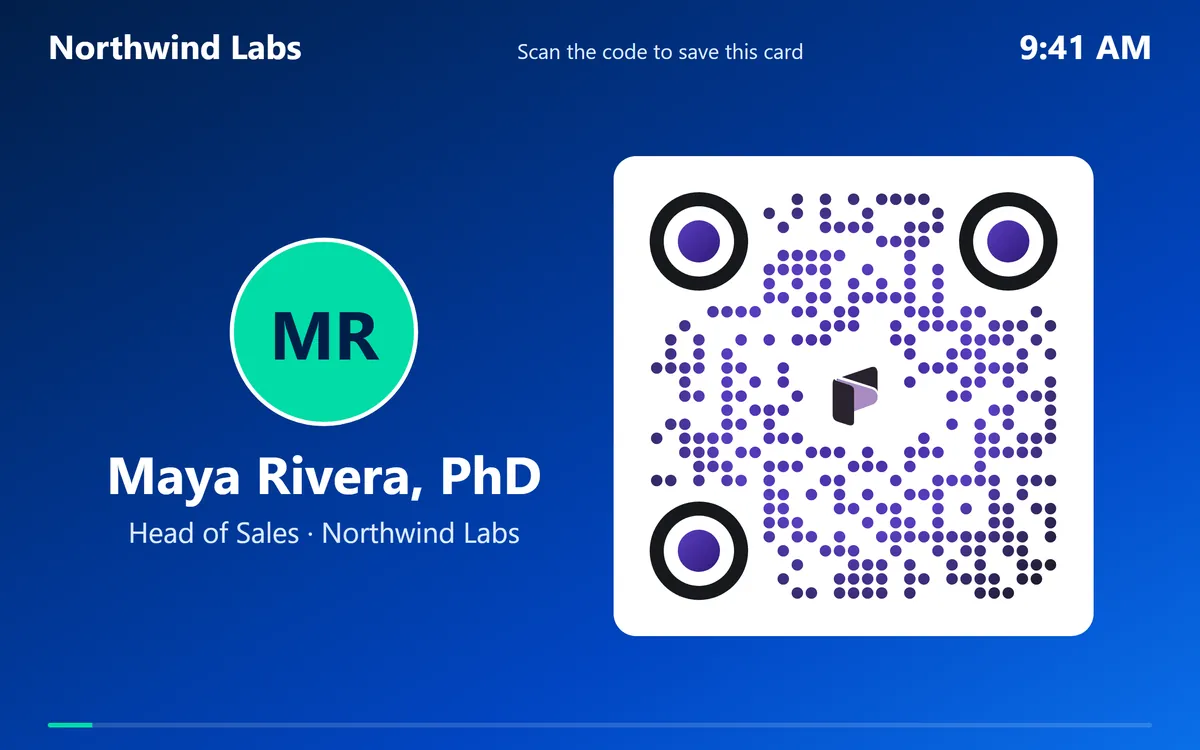
ROLLOUT
Three steps to a whole team on PassB.
No hardware and no IT project. Your people install the free app, or open their invite on any phone. Each person gets two cards, Work and Personal, and your company sees only the Work card. The app also has Google Wallet, Apple Watch, invites from contacts and 25 languages.
- 1
Design your company card
Add your logo, colours and address. Lock what must stay the same on every card.
- 2
Invite your people
Send invites by email, upload a CSV list, or let anyone with your company email join.
- 3
Watch contacts come in
Shares, opens and new contacts show up on one page. Export them any time.
Example data · new contacts per week
BOOK A DEMO
See PassB with your own team.
Want a tour first? Tell us a little about your company, and we will email you to pick a time for a short video call. Or start Teams now.
- A tour of the admin console
- Your questions about privacy and billing
- A price for your team size